
What you will get
a first task completed end to end, with a checked deliverable.
PAID PLANS
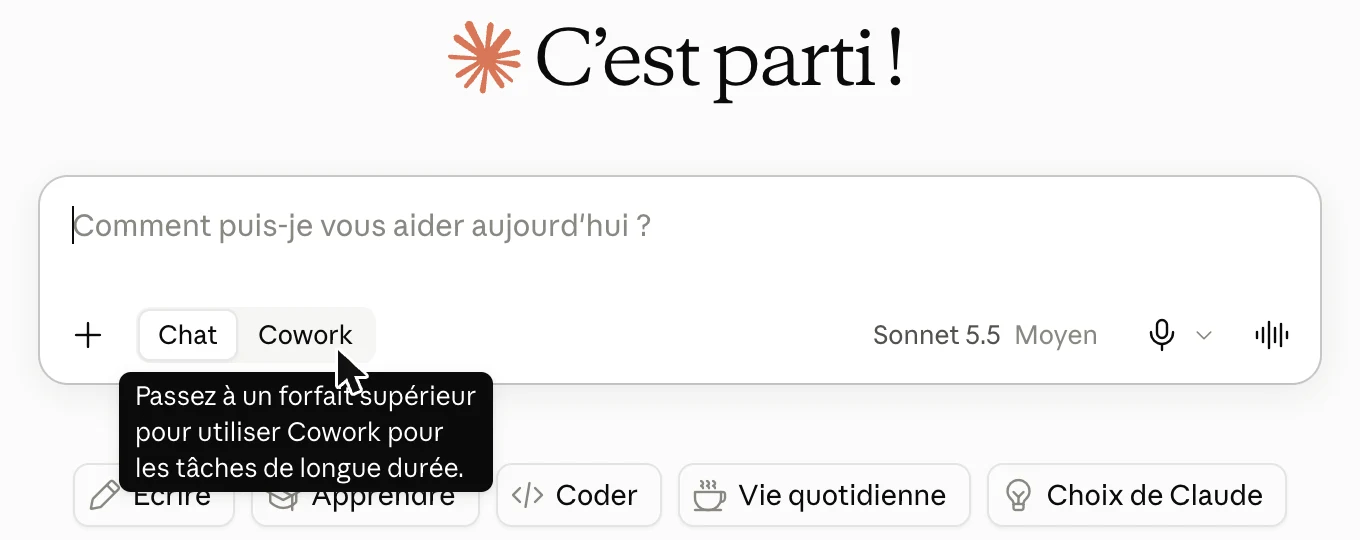
Until now, Claude answered. Now it works: it reads several files, chains the steps together and hands you a finished deliverable. By default, it asks you before acting.
The steps
- In the input box, choose Cowork if your account still shows both modes, then pick a simple, reversible task.
- Make a copy of the files involved and work on the copy.
- Prepare your brief with prompt P10.
Prompt P10
My first delegated task
What this prompt does: Claude helps you choose a first task and write a clear brief.
I want to hand Claude a first real task, end to end. I am a beginner. Do one step at a time.

1. Choose: ask me what I want to achieve. If I have no idea, suggest: organising a folder of documents; preparing a report from several files; preparing a briefing before a meeting.
2. Frame: ask me, all at once, for the finished result I expect, the files to use, what Claude must absolutely not do, and how I will judge the result.
3. Write the brief:
<brief>
GOAL: what "done" looks like
SOURCES: files, folders, tools
STEPS: 3 to 6
OFF-LIMITS: what Claude does not do without asking me
OUTPUT: format, location, file name
CHECK: what Claude verifies before handing over the work
</brief>
4. After the task: give me a 4-point checklist to verify the result.

For a first time, choose a simple, reversible task, and remind me to work on a copy.
Your result A brief ready to hand over, with its checklist.
Next step Give Claude the brief with your files, then check the deliverable.
- Give Claude the brief, along with the files or folder.
- Grant permissions case by case: read each request before accepting.
- Check the deliverable with the checklist produced by P10.
Your safety rules
- Only give access to the folders the task needs.
- Decline any action you do not understand.
- Claude asks for your explicit permission before permanently deleting a file.
- Long tasks use more of your usage allowance than a simple conversation.
- For files on your computer, the Claude Desktop app must be open.
Three exercises to choose from
01 Organise documents
Take a messy folder (a copy). Ask Claude to rename the files using a clear rule (date_topic), sort them into subfolders and create an index.
02 Prepare a report
Provide 3 to 5 files on the same topic. Ask for a 2-page report: summary, key figures, points of attention, next steps.
03 Prepare a briefing
Before an important meeting, ask Claude to pull together what you know about the topic and prepare a one-page briefing: context, stakes, questions to ask, decision expected.
Expected outcome
1 task completed end to end, deliverable checked.