
How to use this guide
This guide is not a course on AI. It is a hands-on workshop. Each chapter has you complete a real action in your own Claude account.
The method, in every chapter:
- I understand I read why it matters
- I copy the prompt Into a new conversation
- I answer Claude With concrete examples
- I set it up Instructions, Project, Skill, connector
- I move on With a concrete result in hand
What you need:
- A Claude account (claude.ai). The free plan covers chapters 1 to 6. A paid plan (Pro or higher) is required for chapter 8 and for some connectors.
- 20 to 30 minutes per chapter.
- To work with files on your computer: the Claude Desktop app (Mac or Windows).
Badge key:
- ALL PLANS: available for free.
- PAID PLANS: Pro, Max, Team or Enterprise.
- TO CHECK: the feature exists, but its location or limits depend on your account.
One rule for the whole guide
If Claude does not have a piece of information, it must not make it up. Every prompt in this guide tells it so explicitly.
Good to know
Features checked on 15 October 2026. Claude evolves quickly: if a button does not have exactly the same name, look for the feature in Settings.
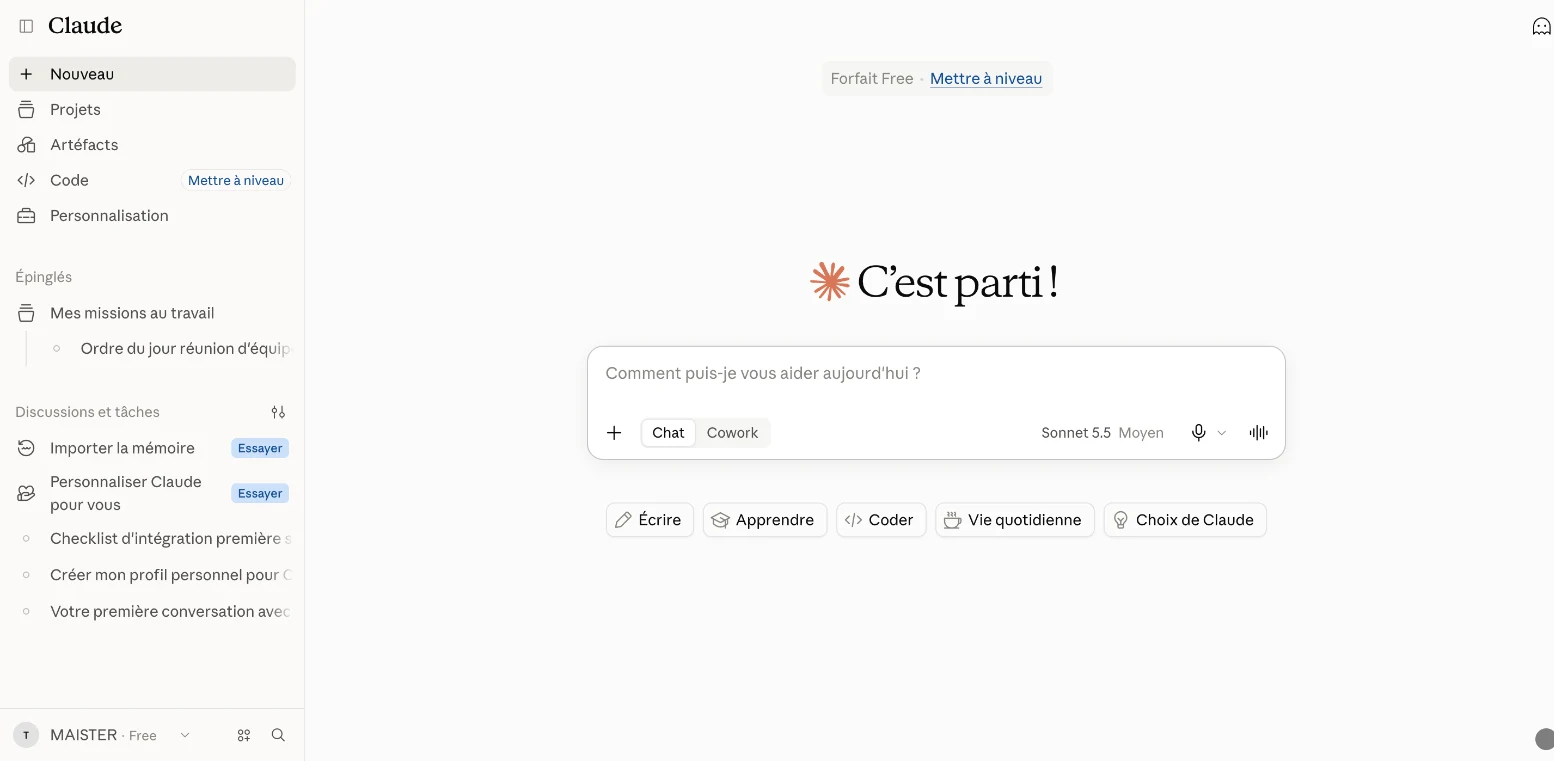
Welcome to Claude
What you will get
a clear view of Claude's 5 building blocks, and the order in which to set them up.
Without any setup, Claude starts from scratch in every conversation. Once set up, it knows your context, follows your rules and works with your documents.
- CH. 02–04 · You · Profile, goals, instructions
- CH. 05 · Projects · One workspace and one role per area of life
- CH. 06 · Skills · Your methods, reused automatically
- CH. 07 · Connectors · Your tools: Drive, Gmail, Notion…
- CH. 08 · Tasks · Work done, end to end
The Claude ecosystem: each building block rests on the one before.
Note
Since September 2026, Anthropic has been merging chat and Cowork into a single Claude, starting with the Pro and Max plans. If your account still shows a separate "Cowork" mode, chapter 8 works there too.
The setup order
- Your profile (chapter 2): who you are.
- Your goals (chapter 3): what you want to achieve.
- Your instructions (chapter 4): how Claude should work with you.
- Your Projects (chapter 5): one workspace and one role per area of your life.
- Your Skills (chapter 6): your recurring methods.
- Your connectors (chapter 7): your tools.
- A first delegated task (chapter 8).
Your turn
open claude.ai and find the sidebar, the Projects entry, the Customize entry, and your name at the bottom left, which opens Settings.